Share an AI prototype. Get feedback.
Host a self-contained HTML prototype at an unguessable link for 14 days. Send it to whoever you want; they pin comments right on the page — no signup, no accounts. You (and Claude Code) pull a structured synthesis — with the screenshot each reviewer saw — and iterate.
Open source · deleted after 14 days · no signup · no accounts
Anyone with the link can view and comment. There's no allowlist and no gate — that's the trade for how little there is to set up. Don't put anything sensitive in a ProtoPeek prototype.
Add the skills to your coding agent:
npx skills@latest add Brightwing-Systems-LLC/protopeek -g --skill '*'
- All five inspectable skills at once, straight from the open-source repo — installed for your user, not one project
- Claude Code, Codex, Cursor — any Agent-Skills-compatible tool
- No signup, no password — the first /proto-up mints an anonymous token after asking you
Other ways to install
claude plugin marketplace add Brightwing-Systems-LLC/protopeekclaude plugin install protopeek@protopeekPrefer manual? Your agent can follow https://protopeek.dev/agent.md — it asks before every consequential step.
◉ Deleted on a deadline
14 days after you upload it, the prototype is destroyed — link, every version, all feedback, all screenshots. Nothing extends that, so there is nothing to revoke and nothing to clean up.
⌖ Pin-anchored notes
Reviewers annotate elements directly. Author stamped server-side.
↻ Agent-shaped
Pull a synthesis — themes, conflicts, a change list — not a comment dump.
▣ Sees what they saw
Every pin ships the screenshot, the reviewer's box highlighted. Your agent reads the pixels, not just the selector.
From prototype to synthesized feedback
A real run: a Tempo pricing page, reviewed by three people, pulled back and synthesized by the agent.
Install — one line, no signup
One command in your terminal installs the five skills from the open-source repo. Nothing else to configure — the first /proto-up mints an anonymous token (no account, no password) after asking you.
Upload a prototype
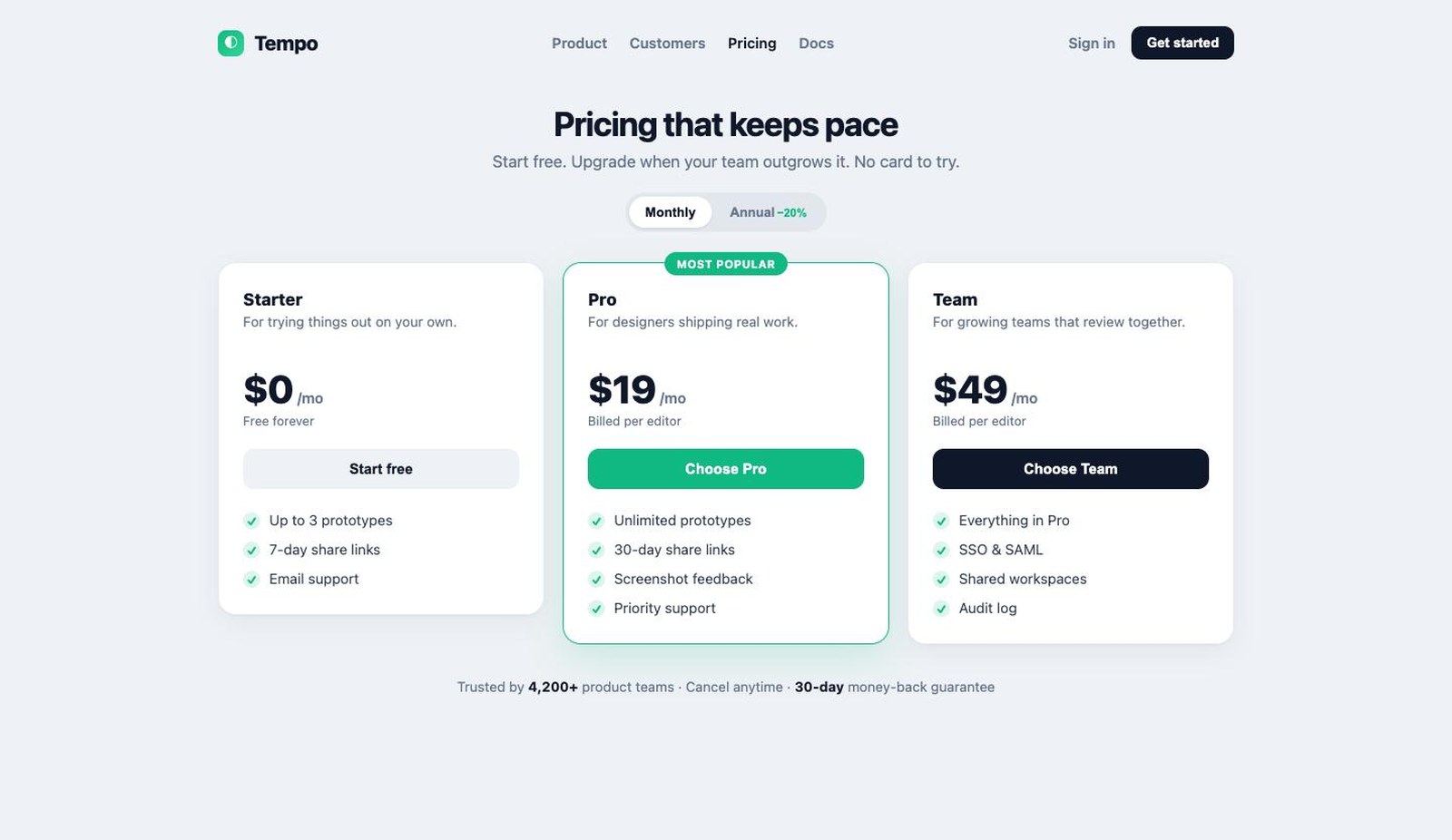
Generate a self-contained HTML file, then one command uploads it and returns an unguessable, time-boxed link.
Reviewers see it & pin comments
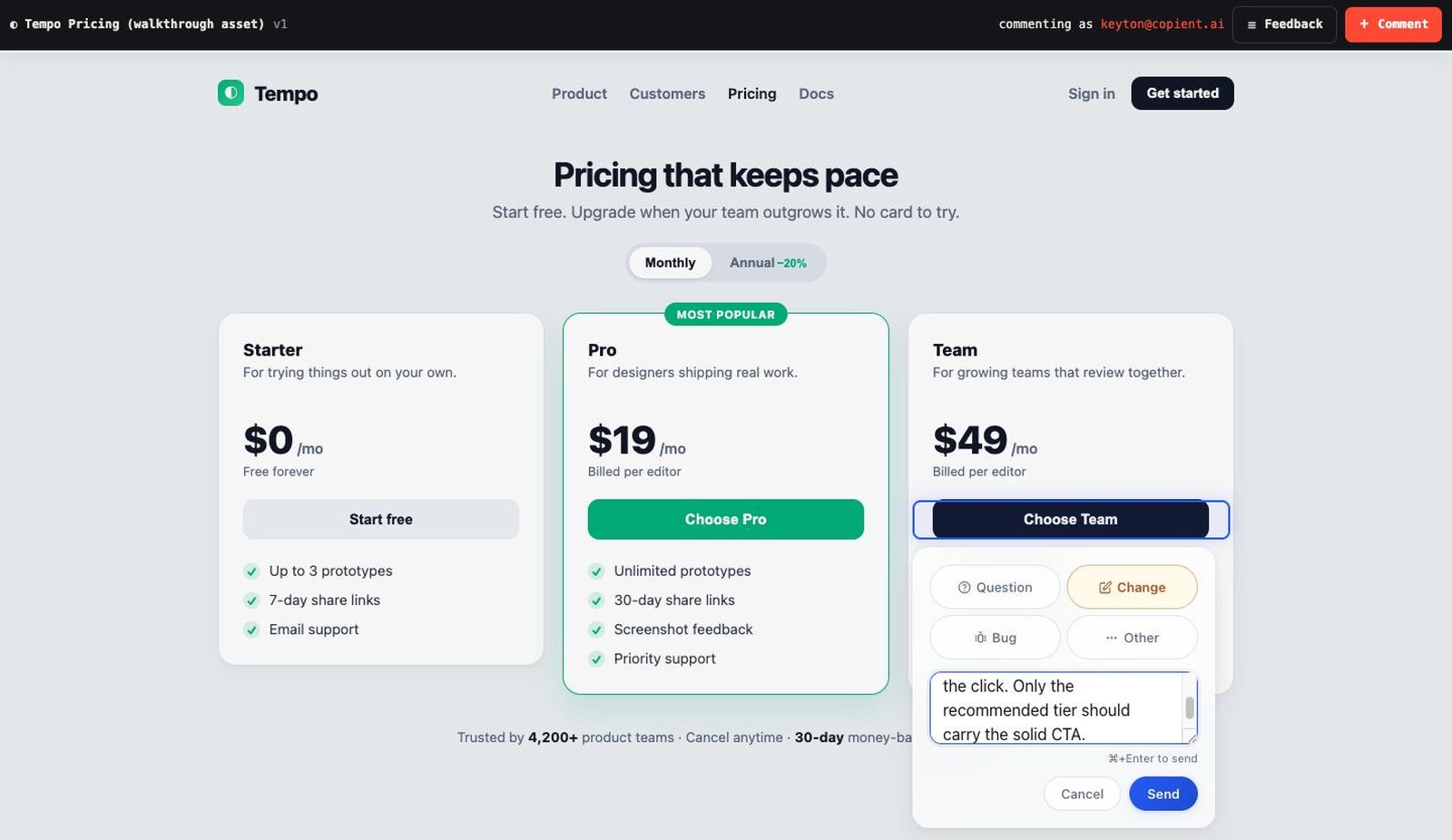
Send the link to anyone. They type an email once — a name tag, not a password — and draw a box on anything to leave a comment. It anchors to that element.
Pull the feedback
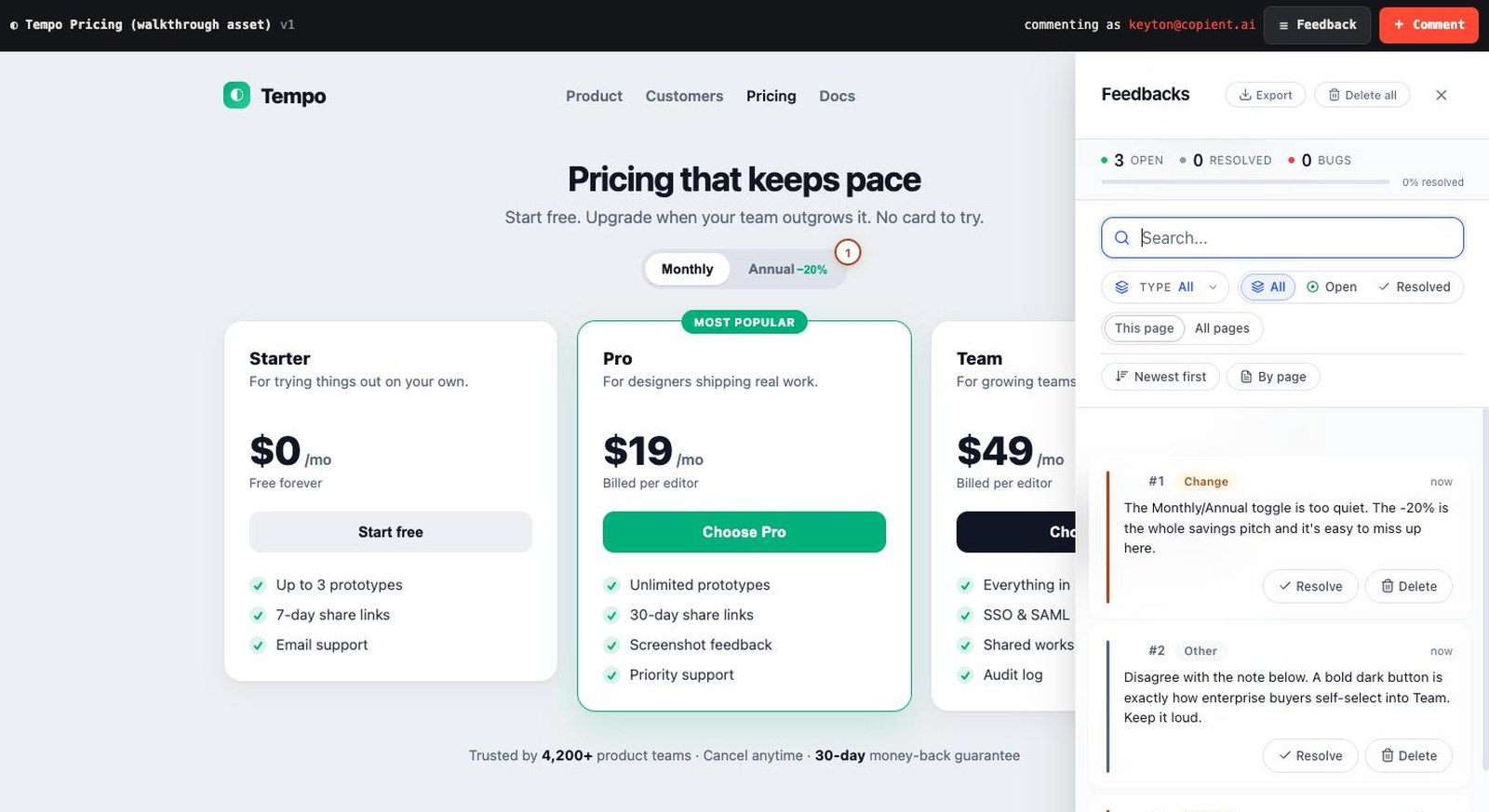
When comments land, your agent pulls an agent-shaped payload — every note with its author and the element it targets.
Your agent sees what they saw
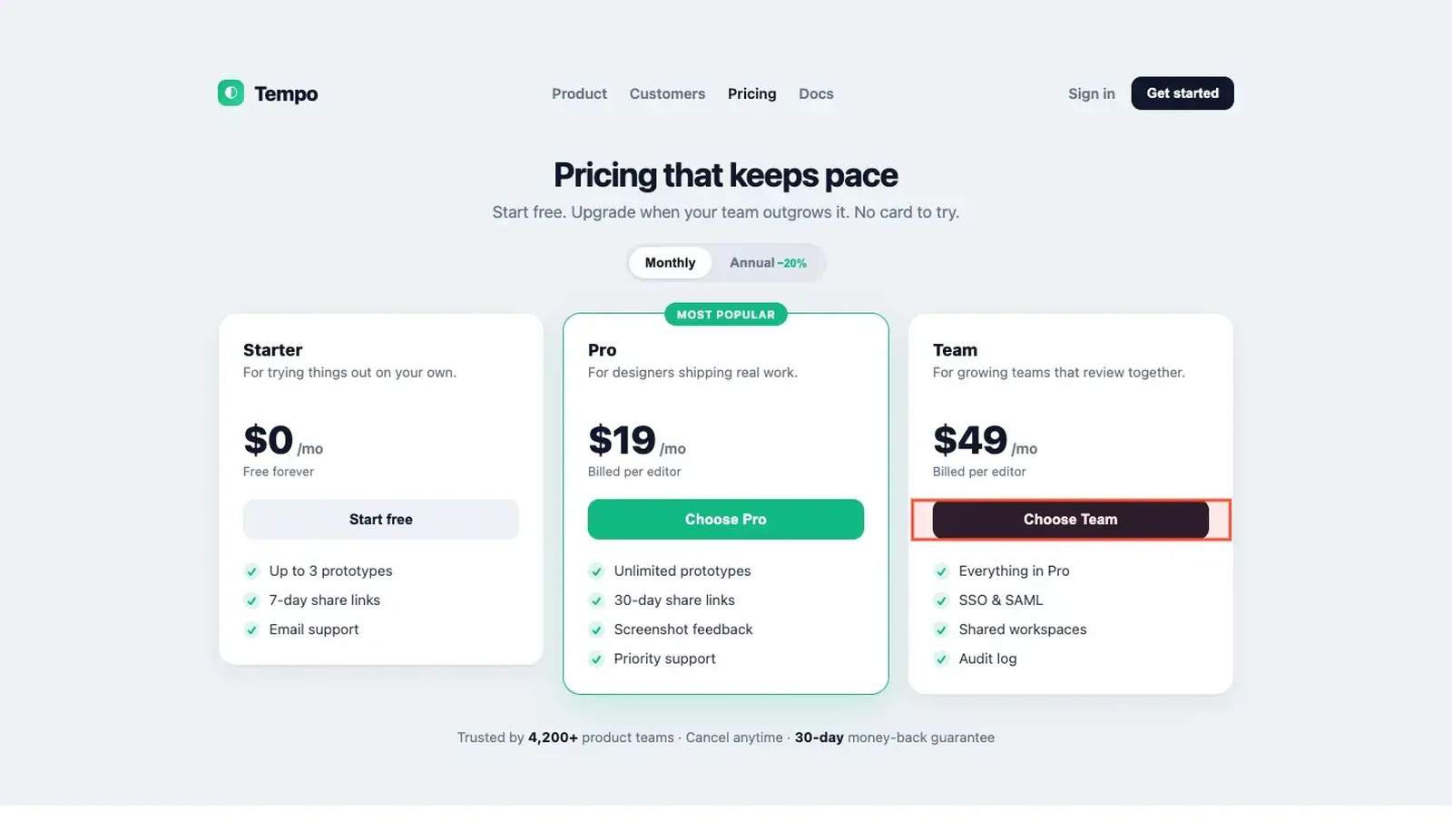
Every pin carries a screenshot with the reviewer's box highlighted in orange. /proto-feedback downloads them and your agent looks at the pixels — so a vague note like "this competes" is settled by the picture, not guessed from a CSS selector.
Discuss & iterate with your agent
Your agent doesn't dump comments — it synthesizes: themes, who-said-what, conflicts, and a concrete change list mapped to the page. You decide; it edits and re-shares as v2.
3 reviewers, 3 notes on v1. The core tension is CTA hierarchy — which tier are you steering people to?
Sam wants only the recommended tier to carry a filled button — Pro and Team both being loud makes them compete. Jordan pushes back that Team's dark button is how enterprise buyers self-select, and would keep it. That's a real product question: is the page funneling everyone to Pro, or letting big teams find Team on their own? Taylor flags a separate fix above.
Proposed v2:
- Commit to one primary CTA — keep Pro solid, demote Team's button to an outline (or make Team the dark one only if it's the real target)
- Make the Monthly/Annual toggle louder — surface the −20% as a visible savings pill
- Point the "Most popular" badge at whichever tier the CTA actually favors, so flag and button agree
Want me to make these edits and re-share as v2?
npx skills@latest add Brightwing-Systems-LLC/protopeek -g --skill '*'
One line in your terminal, then run the loop from your agent. Read the source or the agent setup page first if you like.
Need to ask a specific person, or keep the history? That's HumanGated.